Before CaddyGO
- Caddie information is hard to find before the day of the round
- Requests are handled by phone or messaging
- You have to follow up to learn the request status
A golf course-based caddie request service
Find your golf course, explore caddie profiles, and send a request for your upcoming round. Track your request, confirmation, and schedule—all in CaddyGO.
CaddyGO is coming to app stores. Our partner inquiry channel is also in the works.
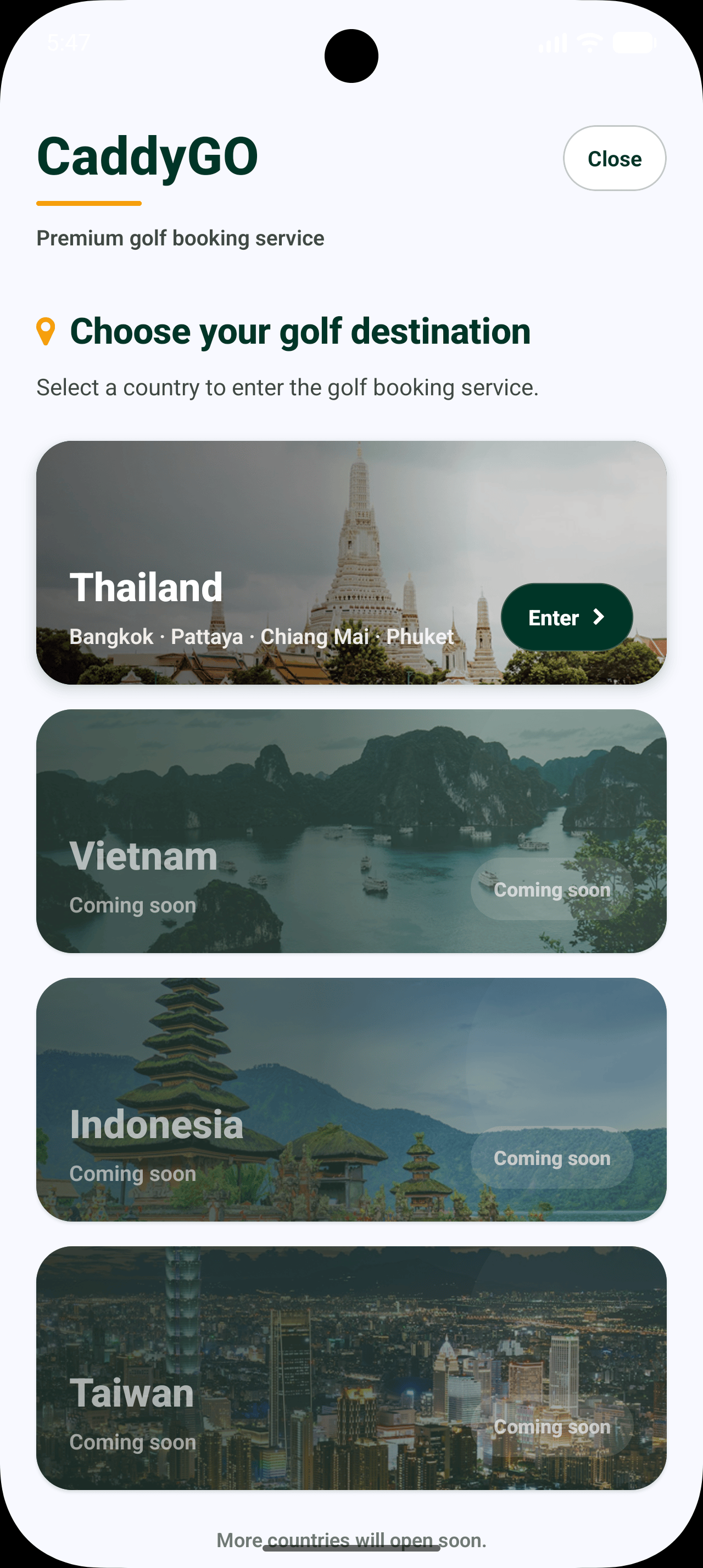
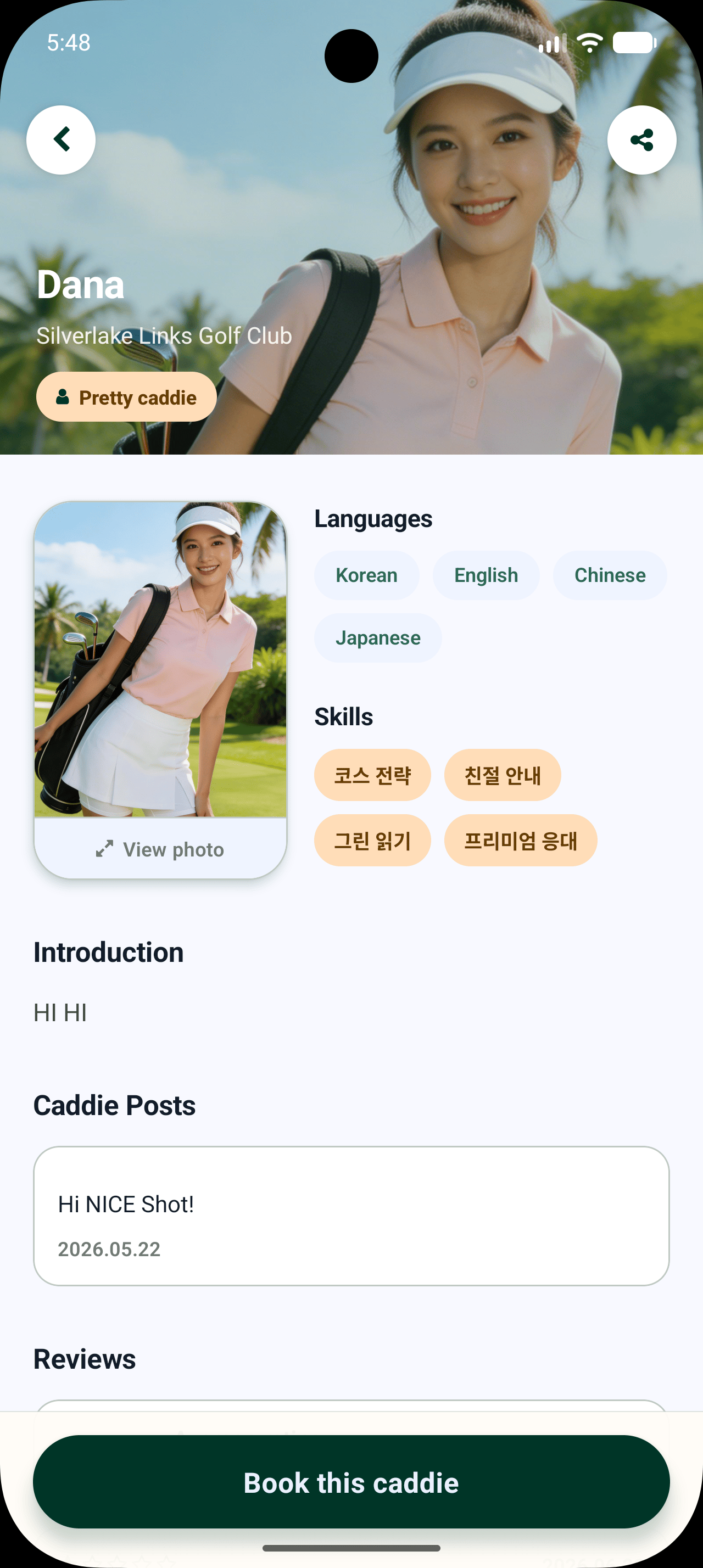
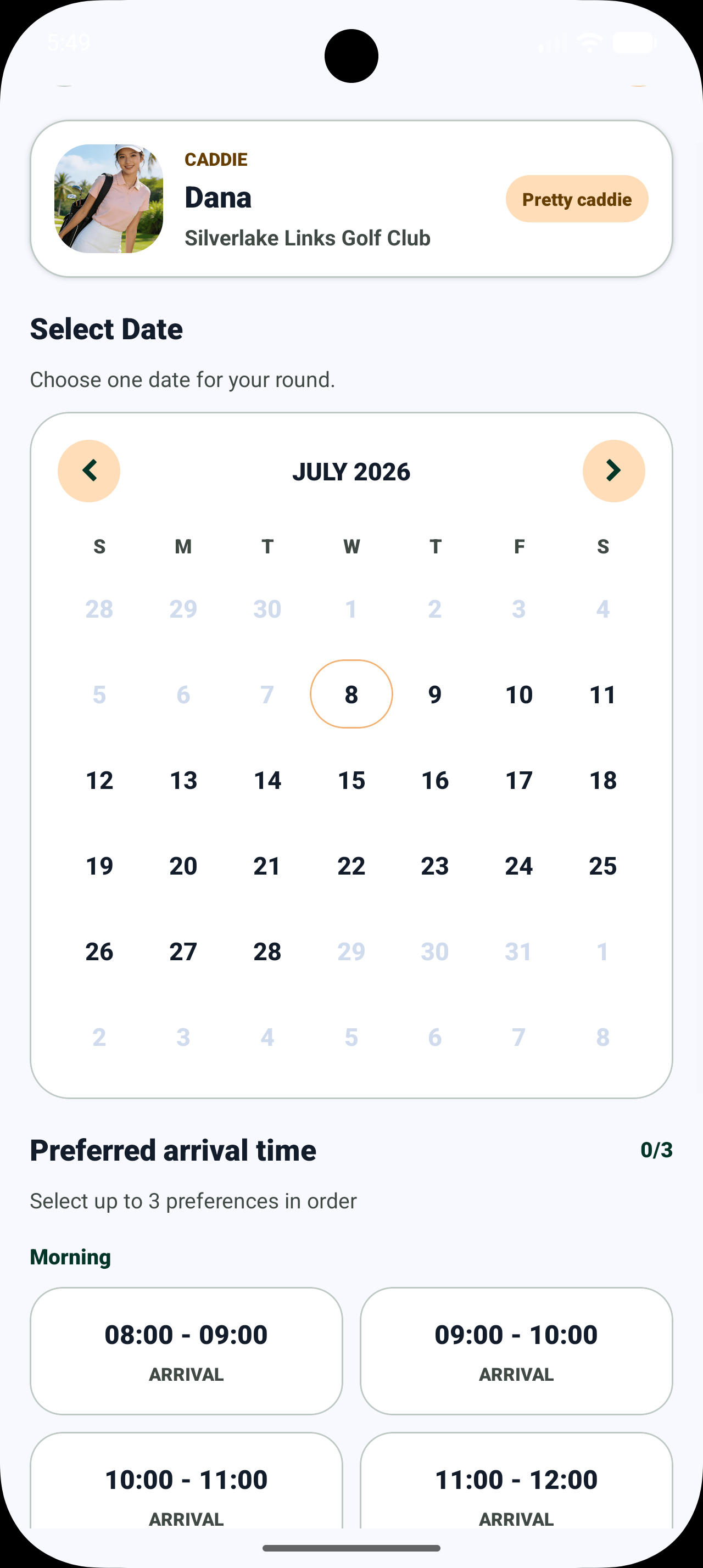
Before / After
Before CaddyGO
CaddyGO
How It Works
Search and compare caddies, review profiles, and send a request for your preferred date and time. Track approvals and upcoming rounds in the app.
Search by region or course name.
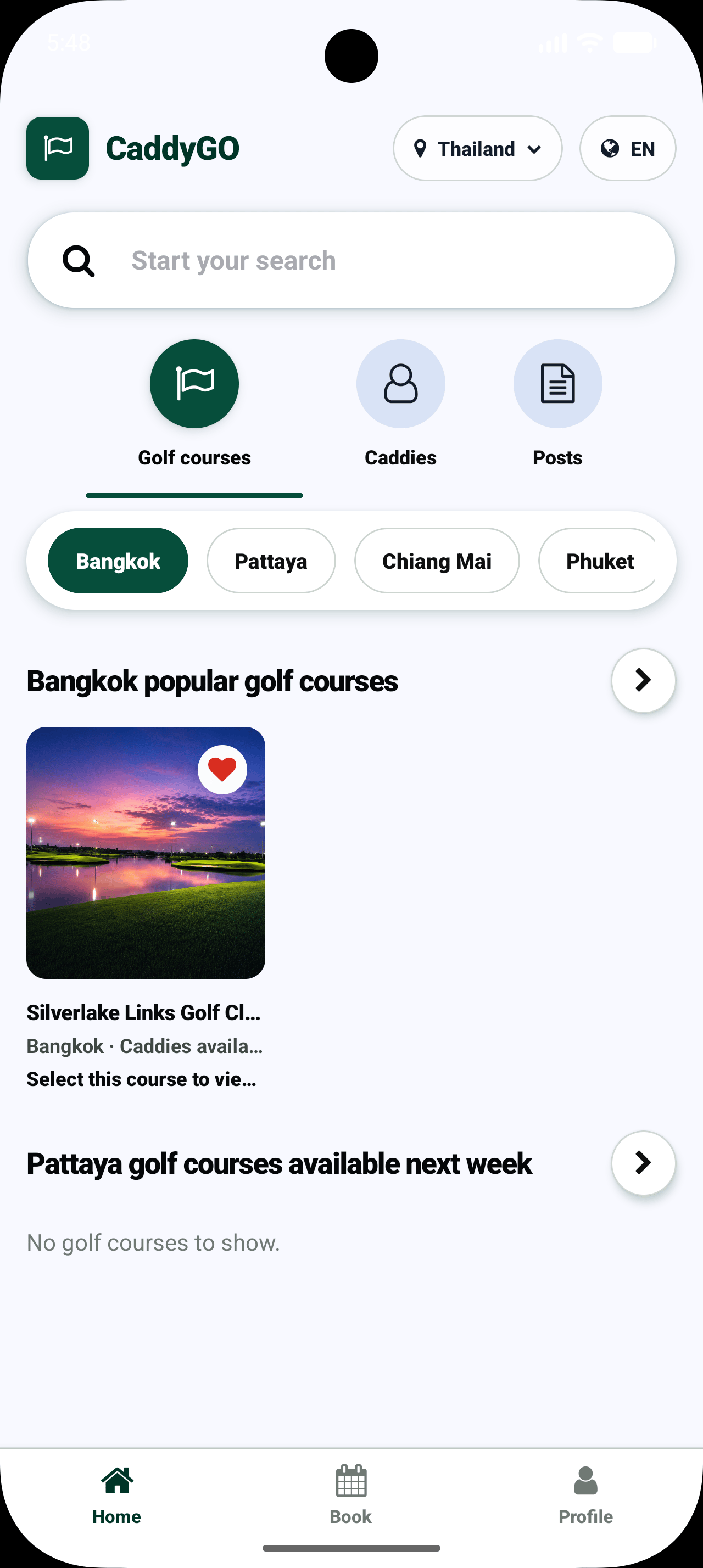
Compare key details for caddies connected to that course.
Review introductions, experience, activity, and home course.
Choose a date and time, send a request, then track whether it is approved or declined.
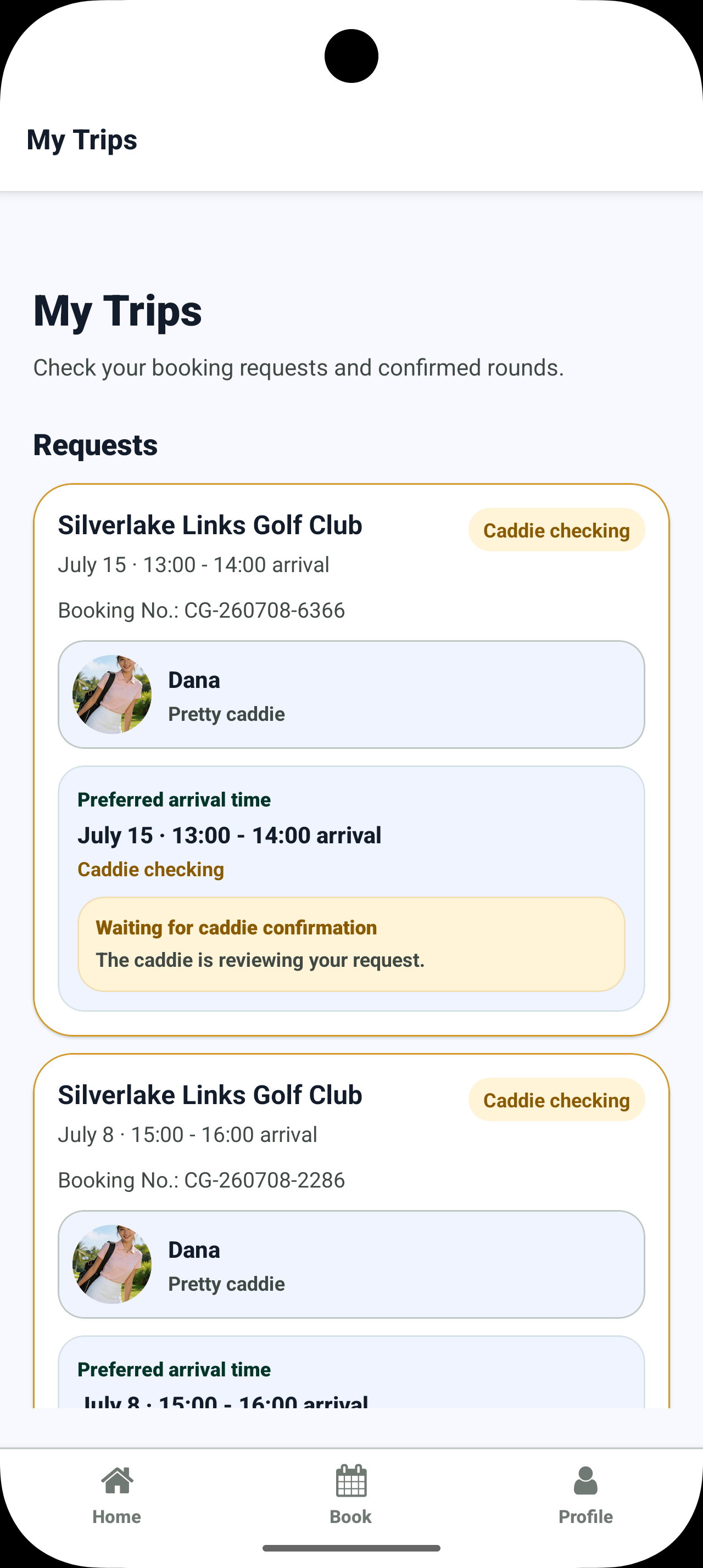
View upcoming rounds, your caddie, and request status in one place.
Find a Course and Caddie
Search by region or course name, then compare key details for caddies connected to your selected course.
Explore Caddie Profiles
Review each caddie’s photo, introduction, experience, activity, and home course before you send a request.
Request & Approval
Review the course, date, tee time, and caddie, then send a request. It remains pending until it is approved or declined; an approved request is confirmed.
Review the course, date, tee time, and selected caddie, then send your request.
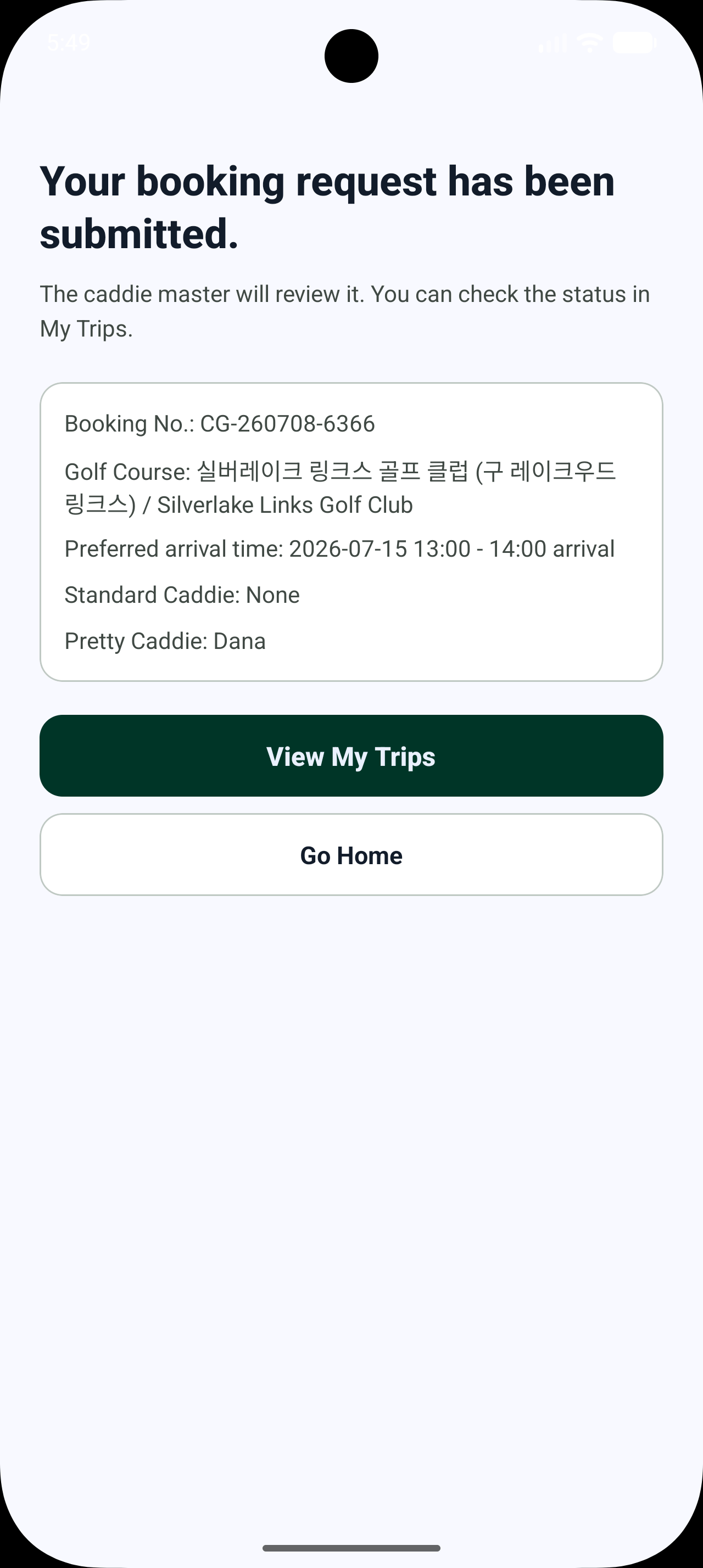
After submission, the request is pending until it is approved or declined.
My Rounds
View upcoming rounds, caddie details, request status, and schedule details on one screen.
Caddie Registration
Caddies apply with an invitation code from their golf course. Their profiles are shown only after caddie master approval, and profile updates are reviewed before they go live.
Registration starts with an invitation code issued by the caddie’s golf course.
The caddie submits the required details and a profile.
The caddie master approves or declines the application within the course’s operating workflow.
Only approved profiles are visible to golfers.
Updates to key profile information are published after review.
The caddie staff app is not available in public app stores. Caddies receive a private installation QR code and invitation code from their golf course.
Golf Course Partners
Manage invitation codes, registration approvals and declines, profile update reviews, post visibility, and operating status for each golf course.
Partner inquiries coming soon.
Operations dashboard image coming soon
Launching Partners
Our partner inquiry channel is coming soon.
FAQ
Answers about service scope, request approval, caddie registration, and launch plans.
No. CaddyGO lets you search for a golf course, explore profiles of caddies connected to that course, and send a request for your preferred date and time. Tee-time bookings must be made separately.
Sending a request does not confirm it. A request is confirmed only after it has been approved. You can track pending, approved, and declined status in the app.
Caddies register with an invitation code for their golf course and go through approval by the caddie master. Only approved profiles are visible to golfers.
The staff app for caddies is not available through public app stores. Their golf course provides a private installation QR code and invitation code.
Available golf courses will be announced in the app and on this site when the service launches.
Pricing and related policies will be announced when the service launches.
Request change and cancellation policies, along with instructions, will be announced when finalized.
Customer support and golf course partnership channels will be listed here once they are ready.
CaddyGO for Golfers
The CaddyGO golfer app is coming soon to the App Store and Google Play.
Download links and launch notifications will be shared once they are ready.